
hglover
Members
-
Joined
-
Last visited
Everything posted by hglover
-
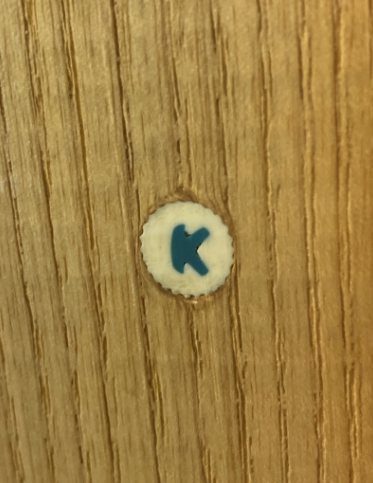
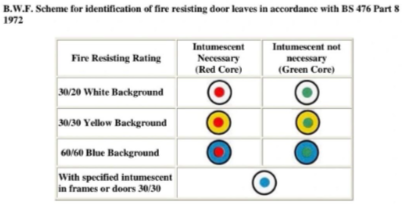
Afternoon all, Just wondering if anyone has come across this type of plug before. It's a white circular plug with a blue letter K in the centre. We've found it on a number of doors that are believed to be fire doors, but we're struggling to identify exactly what scheme, manufacturer or certification body it relates to. The closest thing I've been able to find is an old BWF fire door identification scheme, as the plugs shown there look very similar. That said, I can't confirm whether these are certified doorsets or just fire door leaves. We were also told that they may have been linked to Leaderflush Shapland at some point, but after contacting them directly we've not had any luck obtaining any information to confirm this. Has anyone seen these before or know what they relate to? Thanks in advance.