Skip to content
View in the app

A better way to browse. Learn more.

Safelincs Fire Safety Forum

A full-screen app on your home screen with push notifications, badges and more.

To install this app on iOS and iPadOS
  1. Tap the Share icon in Safari
  2. Scroll the menu and tap Add to Home Screen.
  3. Tap Add in the top-right corner.
To install this app on Android
  1. Tap the 3-dot menu (⋮) in the top-right corner of the browser.
  2. Tap Add to Home screen or Install app.
  3. Confirm by tapping Install.

CJB

Members
  • Joined

  • Last visited

Everything posted by CJB

  1. Thanks for your response.
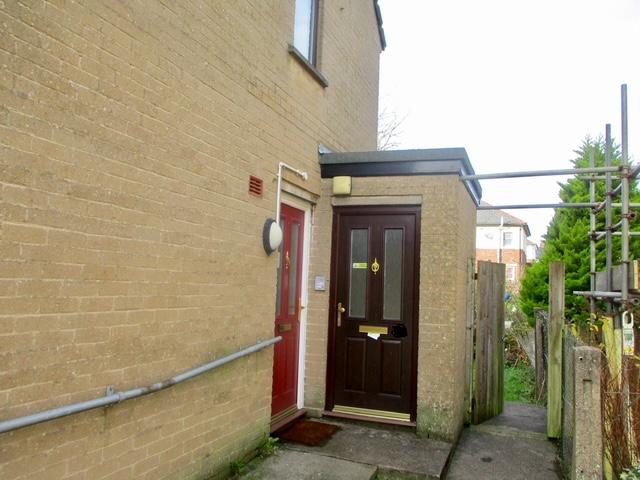
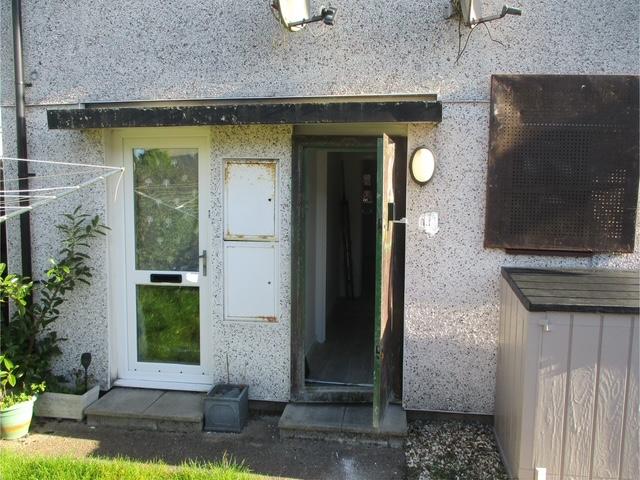
  2. Managed to work out how to add pics.
  3. Two different scenarios, both 2 story, ground and first floor flats. Front doors in one are to the front face of the block and approx 60cm apart. Another block the doors are on the side face and are 90degress from one another. All doors are to fresh air but due to their proximity to each other would Fire doors be required under guidance? I can’t add photos because I don’t know how?!

Account

Navigation

Search

Search

Configure browser push notifications

Chrome (Android)
  1. Tap the lock icon next to the address bar.
  2. Tap Permissions → Notifications.
  3. Adjust your preference.
Chrome (Desktop)
  1. Click the padlock icon in the address bar.
  2. Select Site settings.
  3. Find Notifications and adjust your preference.