MAB
Members
-
Joined
-
Last visited
-
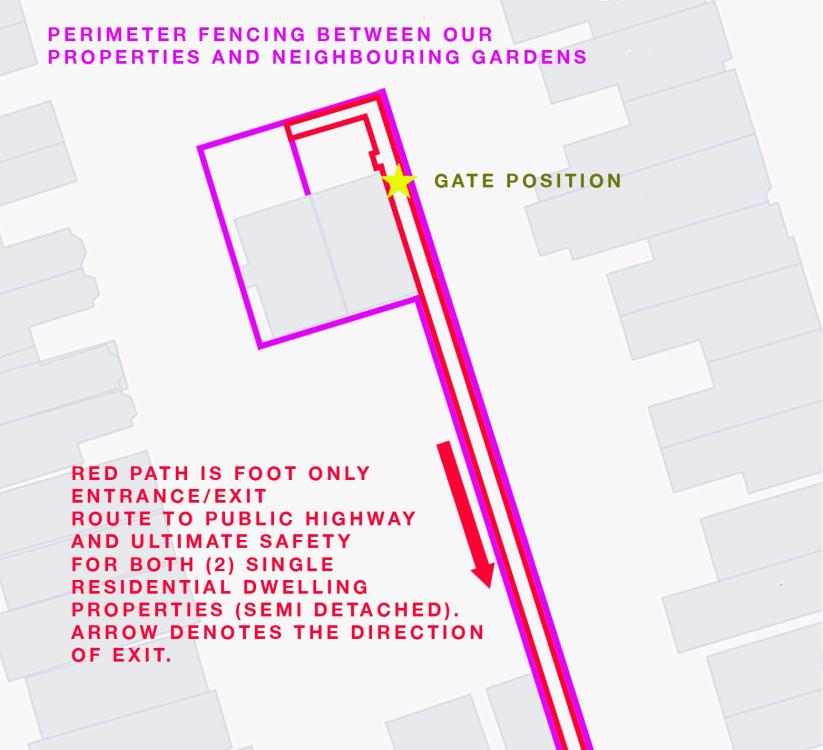
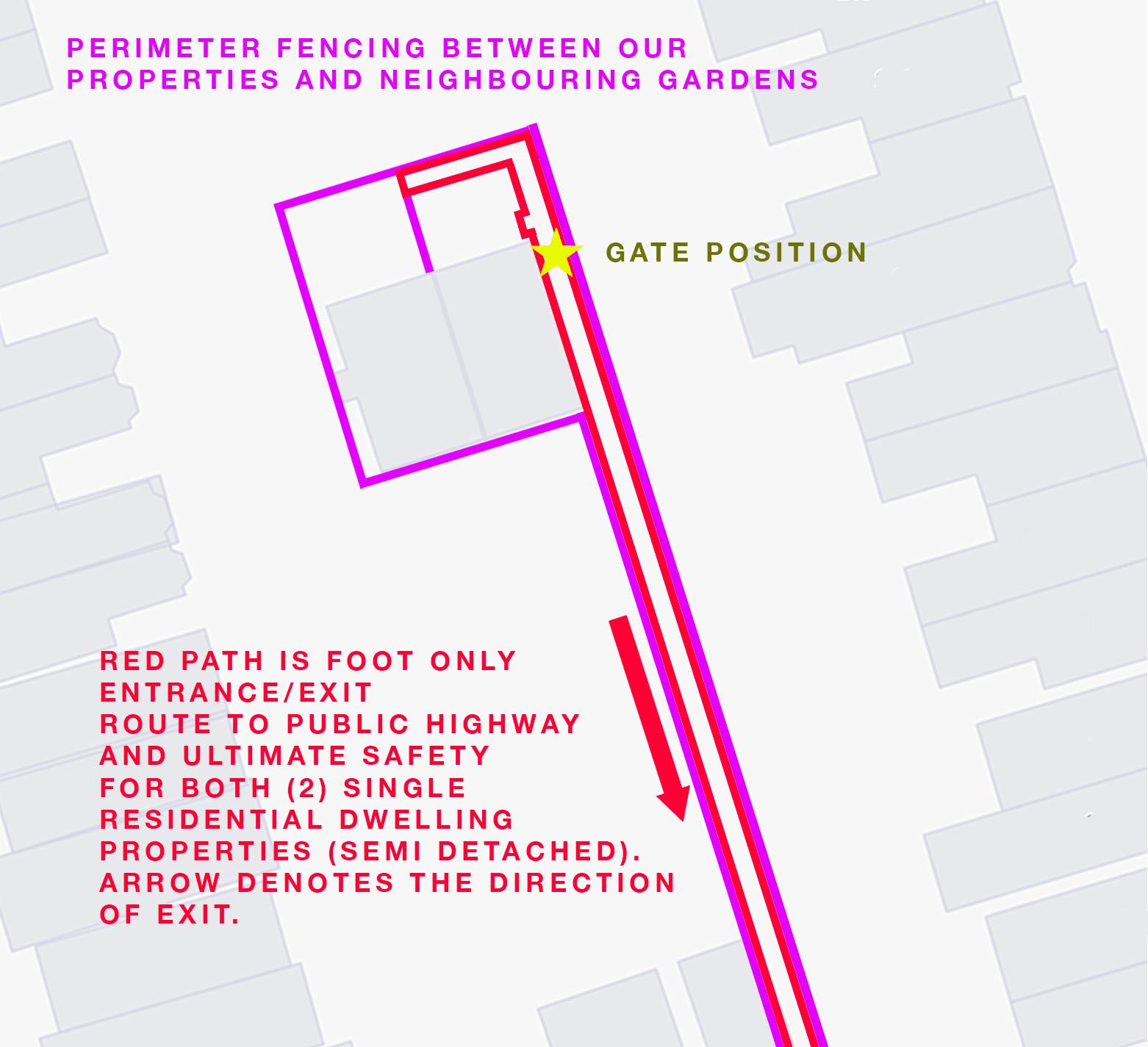
We recently had a metal gate installed at the communal outdoor entrance pathway to two single dwelling residential homes (ours and our neighbours). Unfortunately to my belief, our neighbour was ill advised on the gate, as the gate can only be opened on both sides by a physical key, locking the only entrance and most importantly, exit out of our home in case of an emergency, as there is only one foot only 40m pathway that leads away from the houses to the street. Similar to some mews or courtyard houses we are fenced in on sides other than the one pathway. To my belief as it is a shared private entrance/exit pathway for 2x residential houses, the gate must be openable without a key from the inside according to fire regulations. Even to myself it seems dangerous that you’d need a physical key to escape the area. With that could we replace the current key lock with a code/key pad lock on both sides? Or do we need a lock on the inside that opens completely without a key or code? I have attached a site map of the two properties to help you understand.