RobertoR
Members
-
Joined
-
Last visited
Everything posted by RobertoR
-
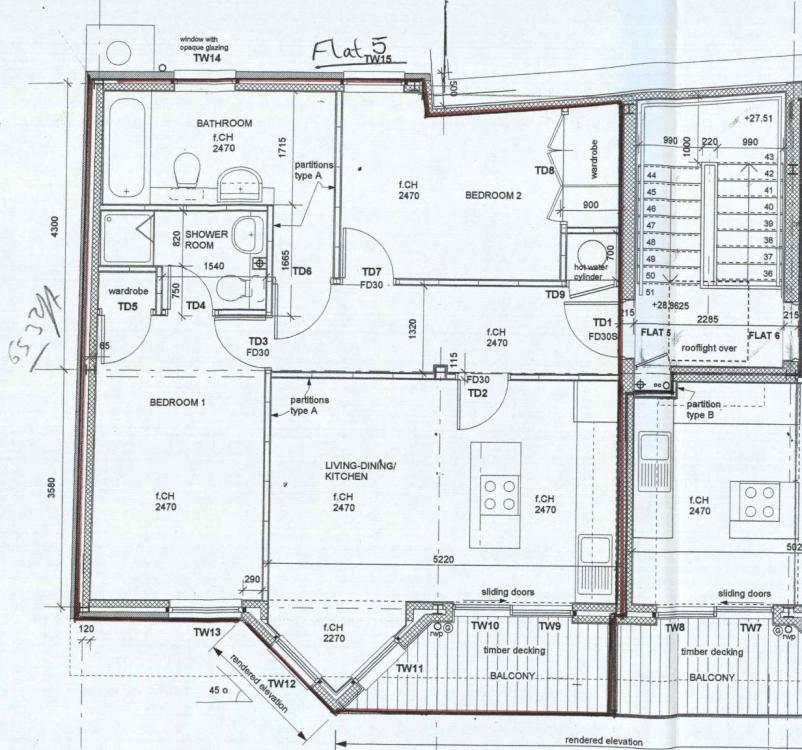
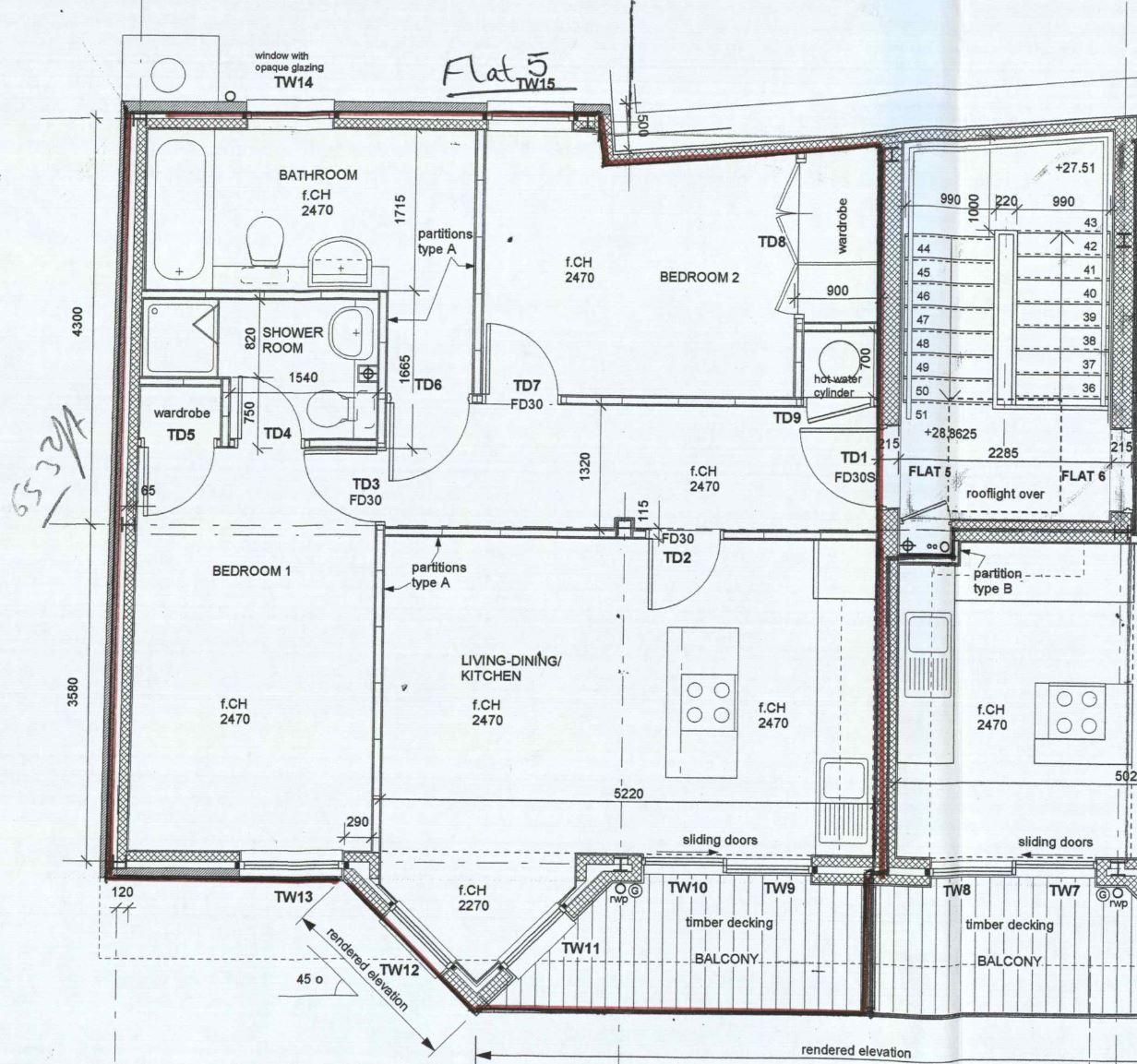
Hello everyone, I am currently in the process of buying the leasehold flat (owned by a private management company) that is pictured by the following floor plan, whose construction was finished in 2004: Currently, there is a corridor standing between the bedrooms and the Living-Dining / Kitchen area, fitted with a FD30 Door. Ideally, I would like to turn this into an "open space" environment, removing the partition wall (barring the steel pillar that sits in the middle of it) that separates the corridor from the aforementioned living space. However, I know that one must provide safe passage from the bedrooms to an exit, and the only exit of this flat (as it's located on the third and last floor of a building) is the one labelled "TD1". Could one work around this limitation through the employment of alternative fire suppression methods, such as a more advanced fire alarm, a sprinkler system, etc. ? If so, which one(s)? Could the steel pillar that is currently being encompassed by the partition wall be left exposed? If not, would some special paint be sufficient for its protection, or does it necessarily need to be embedded in a wall? Does the fact that the flat is a leasehold pose any additional constraints in this context? Where can I read more about the legislation pertaining the points above? Thank you kindly in advance for your help and expertise. Best regards, Roberto