exdirectory
Members
-
Joined
-
Last visited
Everything posted by exdirectory
-
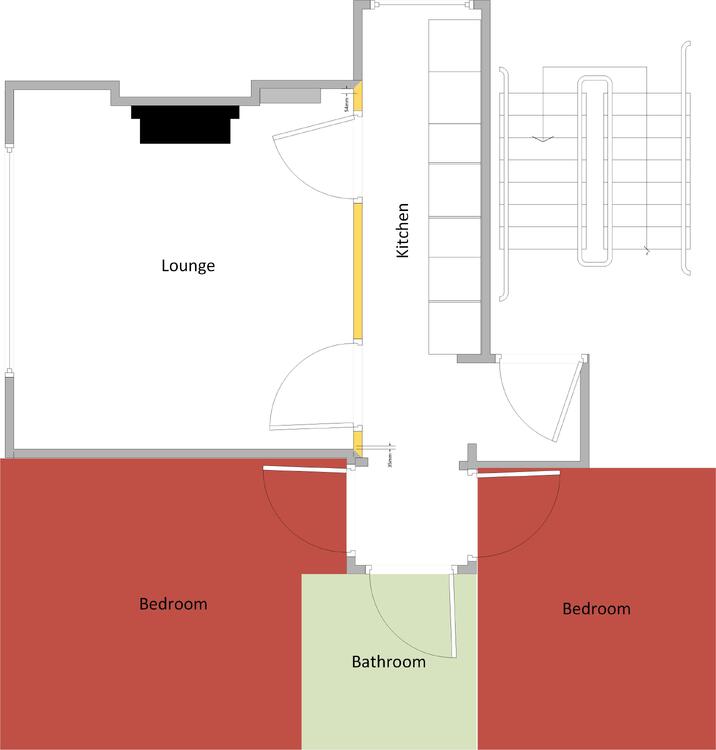
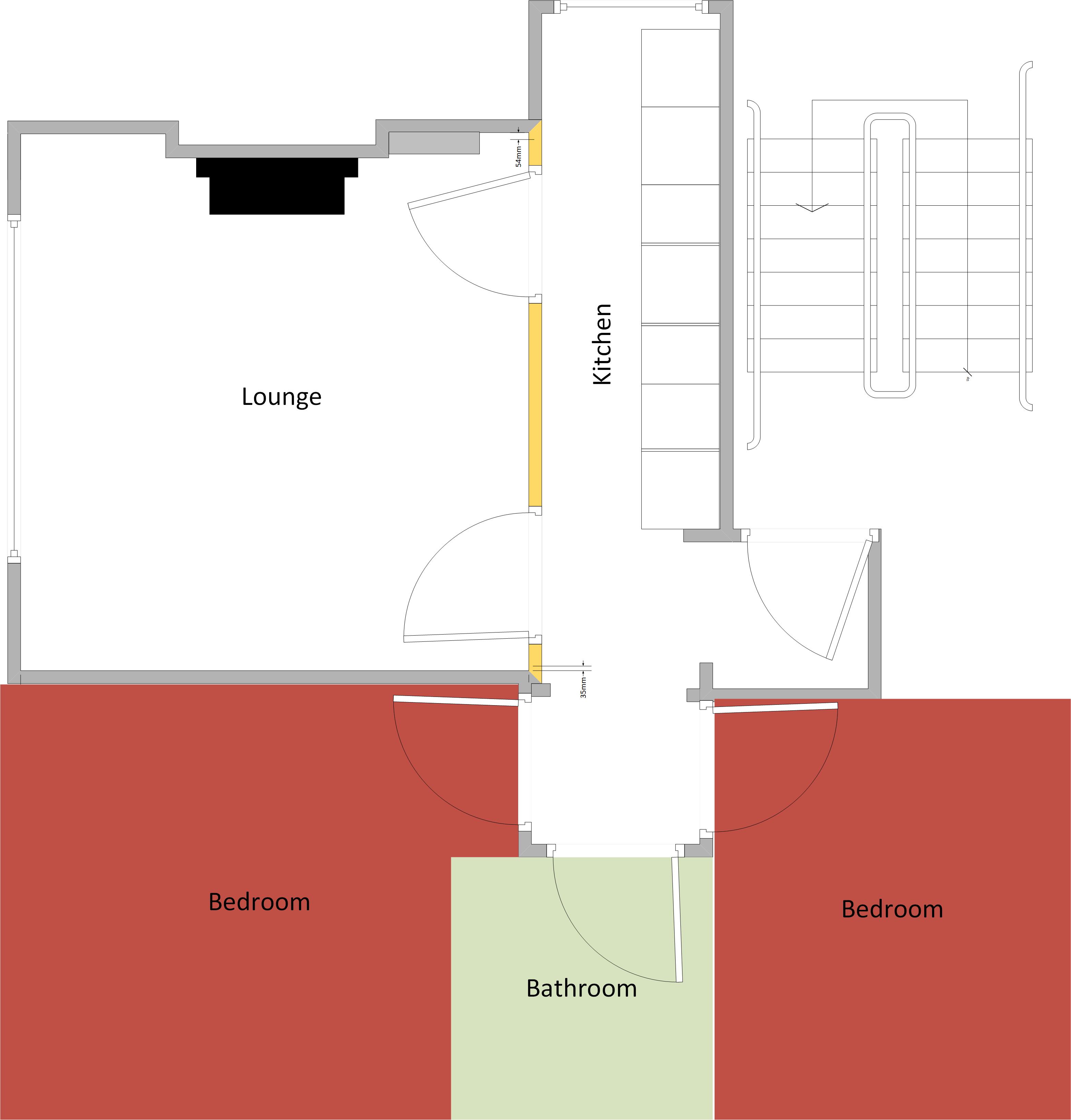
Checked, and based on floor plan, top most left to front door is 7.5m and bottom most left is 7.9m to door so fine on (i)
-
Thanks for your reply. i) My guess is under 9m, i will do a check of this. ii) the hob is the middle square in the line of vertical squares in the floor plan, so the centre of the hob would be 1.9m from that little internal wall just by the front door, if that makes sense?
-
Hi, am looking to remove a wall in our flat which is one of 4 flats in a converted victorian house. Main reason is to open a fairly narrow kitchen up and more open plan. Obviously I am aware of structural things related to such a task, but am interested to know if there is any fire risk issue. The wall in question is marked yellow. The floor plan is as we bought it. Currently the entrance to this 1st floor flat is already open to the kitchen as you can see. In the kitchen is installed a fire detector and siren. That entrance door is a fire door and the building passes fire checks. By removing the wall, I will need a building control notice from the council, in my view it is not making the situation any worse by removing the wall, the escape route from bedrooms is no different. However my view is irrelevant! By getting building control involved am I likely to suddenly have to block off the lounge and kitchen from the hall? Any thoughts/comments welcomed.