
Skip to content
View in the app

A better way to browse. Learn more.

Safelincs Fire Safety Forum

A full-screen app on your home screen with push notifications, badges and more.

To install this app on iOS and iPadOS
  1. Tap the Share icon in Safari
  2. Scroll the menu and tap Add to Home Screen.
  3. Tap Add in the top-right corner.
To install this app on Android
  1. Tap the 3-dot menu (⋮) in the top-right corner of the browser.
  2. Tap Add to Home screen or Install app.
  3. Confirm by tapping Install.

Mark Wright

Members
  • Joined

  • Last visited

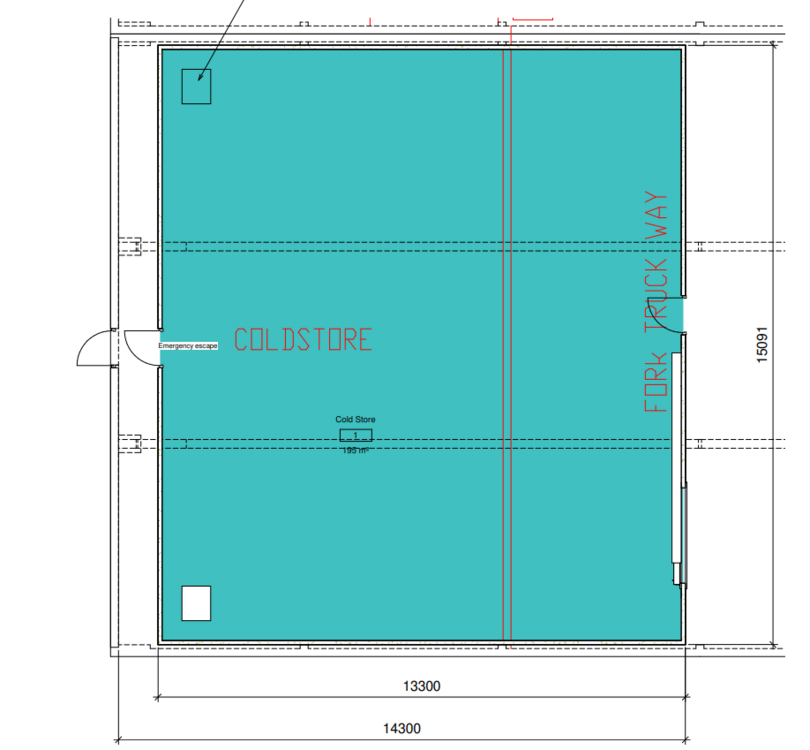
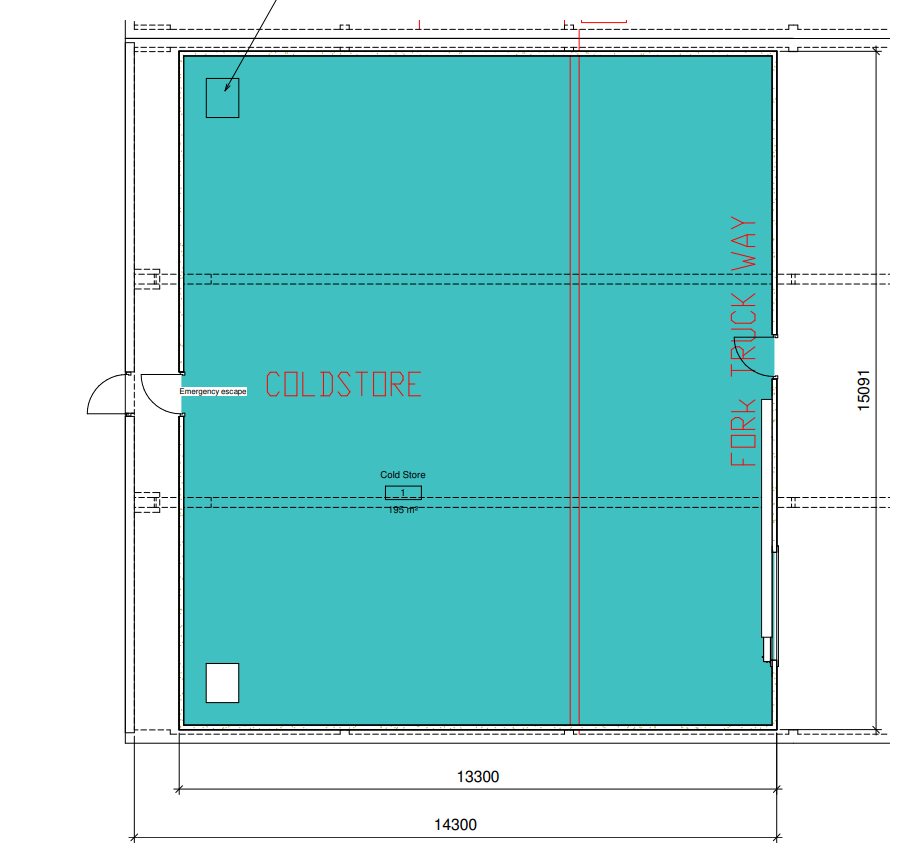
  1. Hi, I need to know if there is any regualtions around distance between fire exits. I am having a cold store room installed into our factory which will have a fire exit at the rear which then goes stright into the rear fire exit of the building, about 1000mm. In order to gain access to the fire exit, you need to enter into the cold store and then proceed to rear of cold store and then exit into street. I have attached plans below. Any advice on this would be very welcome.
Account

Navigation

Search

Search

Configure browser push notifications

Chrome (Android)
  1. Tap the lock icon next to the address bar.
  2. Tap Permissions → Notifications.
  3. Adjust your preference.
Chrome (Desktop)
  1. Click the padlock icon in the address bar.
  2. Select Site settings.
  3. Find Notifications and adjust your preference.