
Skip to content
View in the app

A better way to browse. Learn more.

Safelincs Fire Safety Forum

A full-screen app on your home screen with push notifications, badges and more.

To install this app on iOS and iPadOS
  1. Tap the Share icon in Safari
  2. Scroll the menu and tap Add to Home Screen.
  3. Tap Add in the top-right corner.
To install this app on Android
  1. Tap the 3-dot menu (⋮) in the top-right corner of the browser.
  2. Tap Add to Home screen or Install app.
  3. Confirm by tapping Install.

Peter Banyong

Members
  • Joined

  • Last visited

Everything posted by Peter Banyong

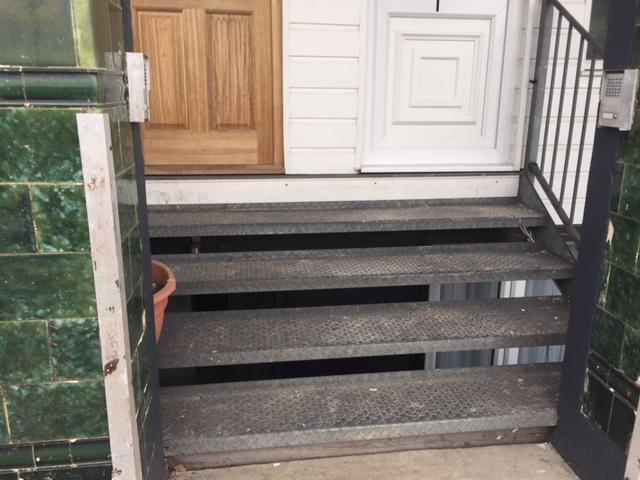
  1. Hi I have been notified by our building management; the front door to our rented property (flat in a building) is not a fire safety door because it is a UPVC none rated fire door! My flat’s front door opens to the street, having said, there is also a flat next door but has it’s own front door separately. We both share a common 3 steps metal stairs that leads to the street. I’m not sure if the management is right, do I really need to change my front door and what is best, FD30 or FD60? Many thanks in advance
Account

Navigation

Search

Search

Configure browser push notifications

Chrome (Android)
  1. Tap the lock icon next to the address bar.
  2. Tap Permissions → Notifications.
  3. Adjust your preference.
Chrome (Desktop)
  1. Click the padlock icon in the address bar.
  2. Select Site settings.
  3. Find Notifications and adjust your preference.