John Lucas
Members
-
Joined
-
Last visited
Everything posted by John Lucas
-
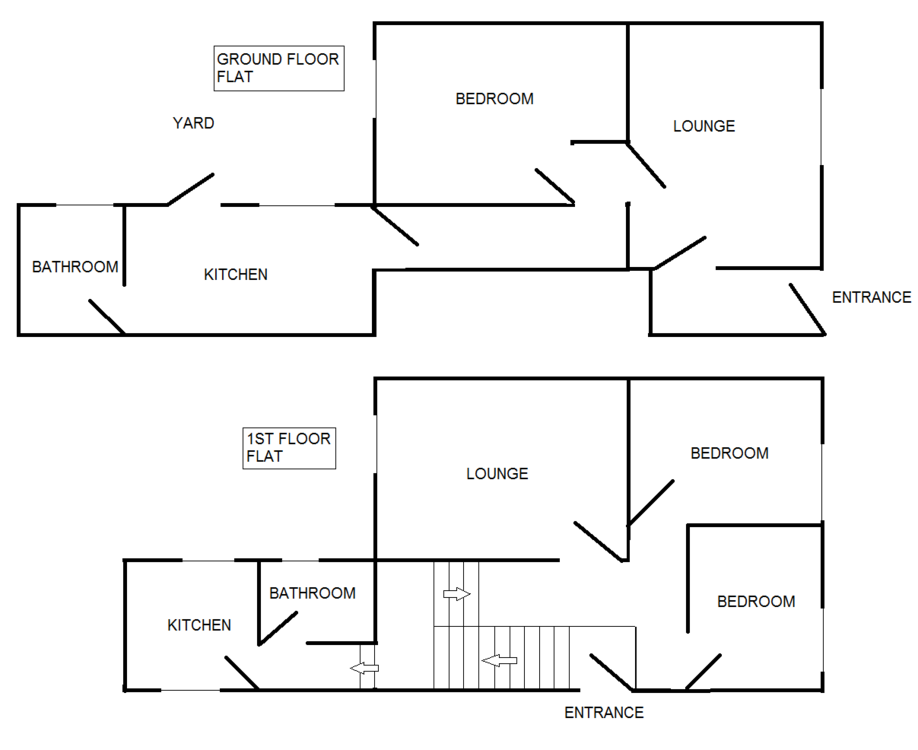
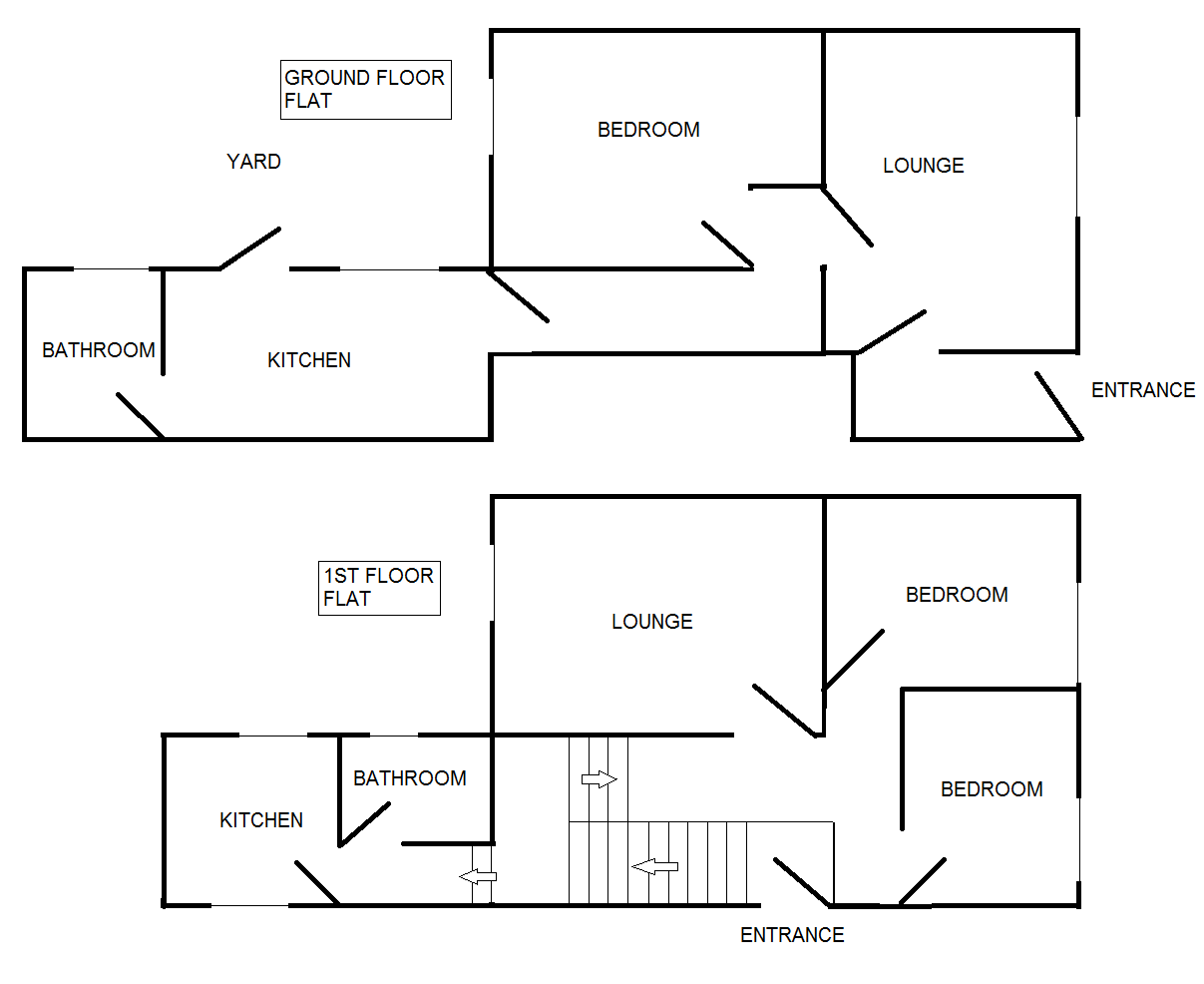
Note to Admin: I am not sure if my guest topic was submitted successfully so I have re-posted as a registered user. Hi I have 2 flats converted from a converted corner terrace house. As such each flat has a separate entrance and there is no common space between the flats. The property was converted in the early eighties. The ground floor has it's own entrance to a small hall area, leading to a lounge which access a corridor to the rear of the flat. The corridor leads to the bedroom and kitchen. The kitchen access the rear yard and the bathroom. The upper flat has it's own entrance, a stairs leads to a landing area from where the two bedrooms, bathroom and kitchen are accessed. From what I understand I need a heat alarm in each hallway of the flats which must be interlinked and then a smoke alarm in each flat. I have looked at Lacors and the only guidance for a house converted to two flats (D10) is that of one with a common access. In my case of course I have two separate entrances. I am looking for guidance as to where I should place fire and heat alarms in the properties. Please refer to the attached diagram. Your help is very much appreciated. Many Thanks John