Nemo2000
Members
-
Joined
-
Last visited
Everything posted by Nemo2000
-
Thanks. Sadly, there is a large mirror bang in the middle of that wall :-(
-
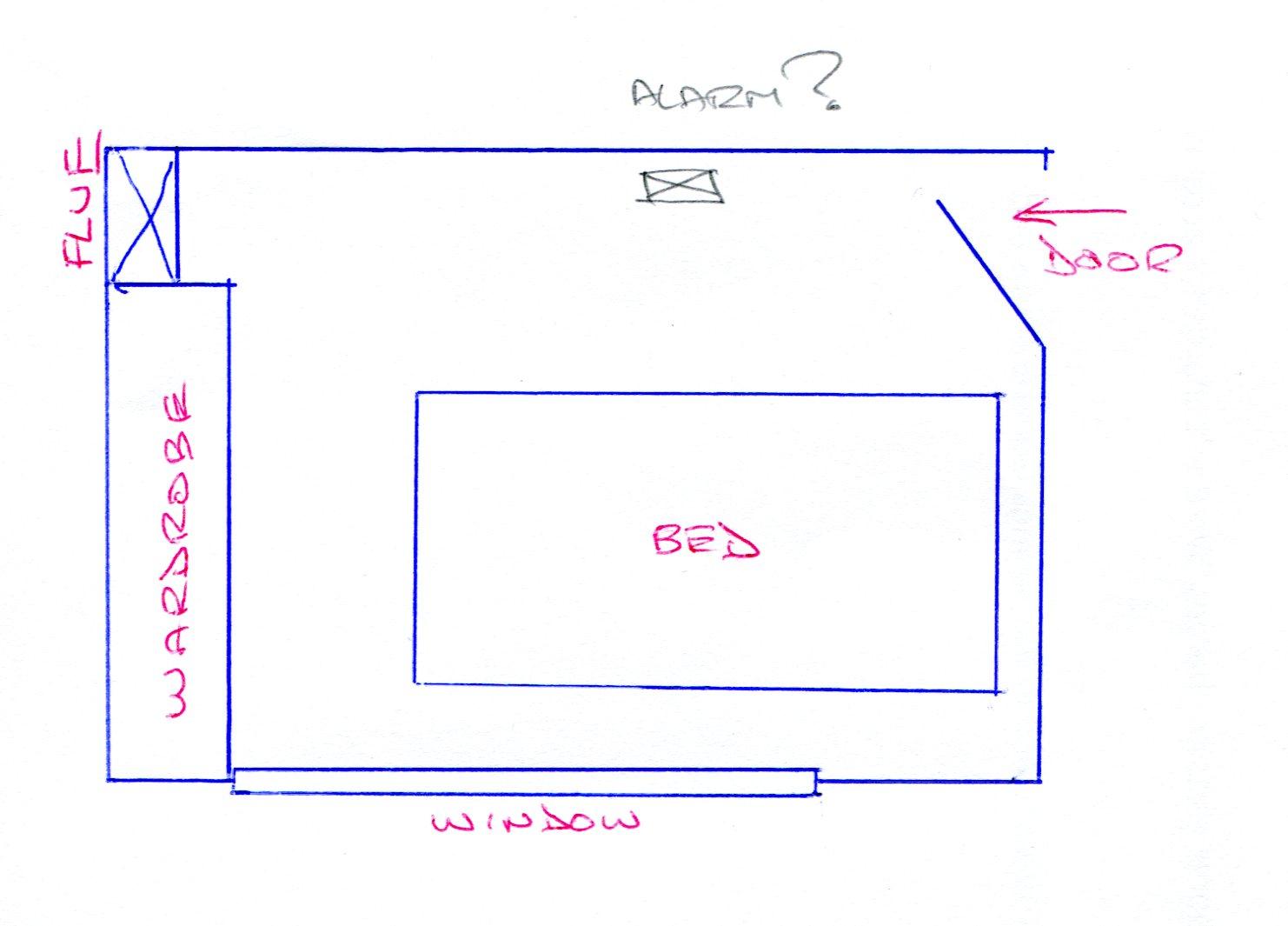
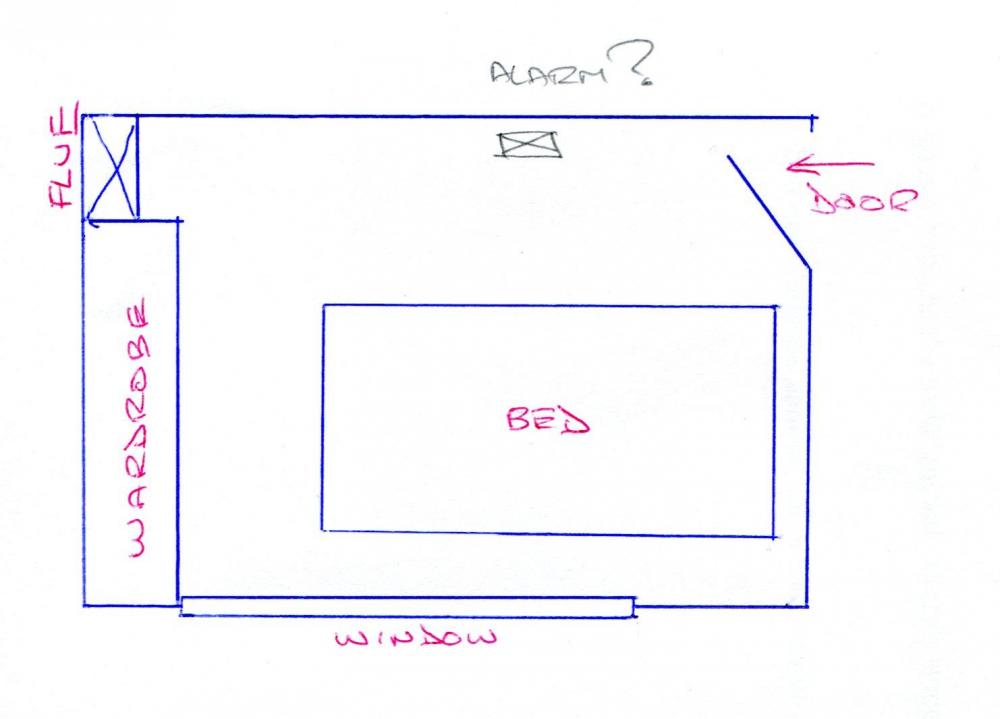
I've now done what I ought to have done in the beginning and made a sketch ! There are a number of small shelves (not shown) fixed on the face of the flue wall, so IMHO that corner is a bit of a 'dead air' area. Obviously it can't be fixed to the front of the wardrobes, as they are all sliding doors. I'm thinking of putting it about half-way along the longer interior wall as marked. It may be a bit close to the door ??, but there are various other things on the wall between that position and the flue, so it's the best clear space. Otherwise it would have to be immediately beside the bed on one side or the other, in which case it would probably deafen me if it went off!
-
I'm replacing all my old life-expired CO alarms with new Kidde 5CO models. Instead of just one on the first-floor landing, I intend to have one each in the two main bedrooms (the third is used as a home-office). Guidance about bedrooms seems very contradictory between placing at 'sleeping height' or higher up on a wall close to the ceiling. Assuming the former, then where is best in a room where there is a big window in one (outside) wall, a door in one corner of the opposite (internal) wall and the flue from the downstairs back-boiler in the other corner, with the bed located against the internal cross-wall between the window wall and the door (if you see what I mean!).